
Install from WordPress
In WordPress admin, go to Plugins → Add New Plugin, search for IndexToast, then select Install Now. You can also download the ZIP above and use Upload Plugin.
Activate IndexToast
Select Activate after installation. IndexToast will appear in the WordPress left-hand menu.
Connect your website
Open IndexToast and choose Continue to secure connection. Sign in or create your account, approve the request, then return to WordPress to finish.
Choose your workflow
IndexToast monitors eligible public content after connection. Use Standard for routine publishing or spend 20 shared units per URL on Priority.
A clearer WordPress workspace.
Your units, submissions, and publishing controls. Together in a calmer workspace.
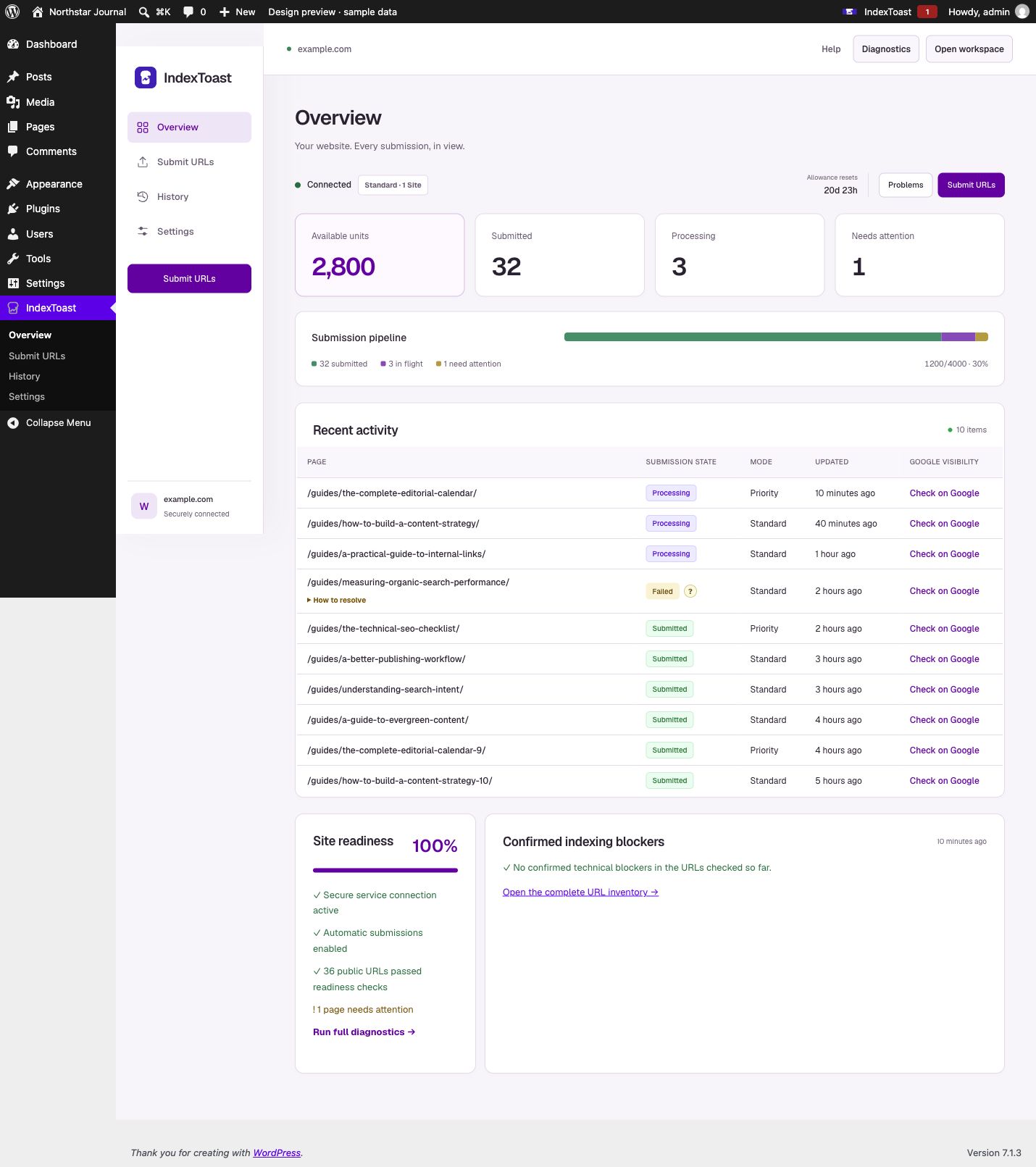
- Cleaner typography, consistent icons, and responsive cards.
- Priority uses 20 shared units per URL. Review the batch cost before submitting.
- Changing speed keeps your pasted URLs. Oversized batches are blocked without cutting your list.
- Browse content and history in pages of 20. Existing connections and settings stay in place.
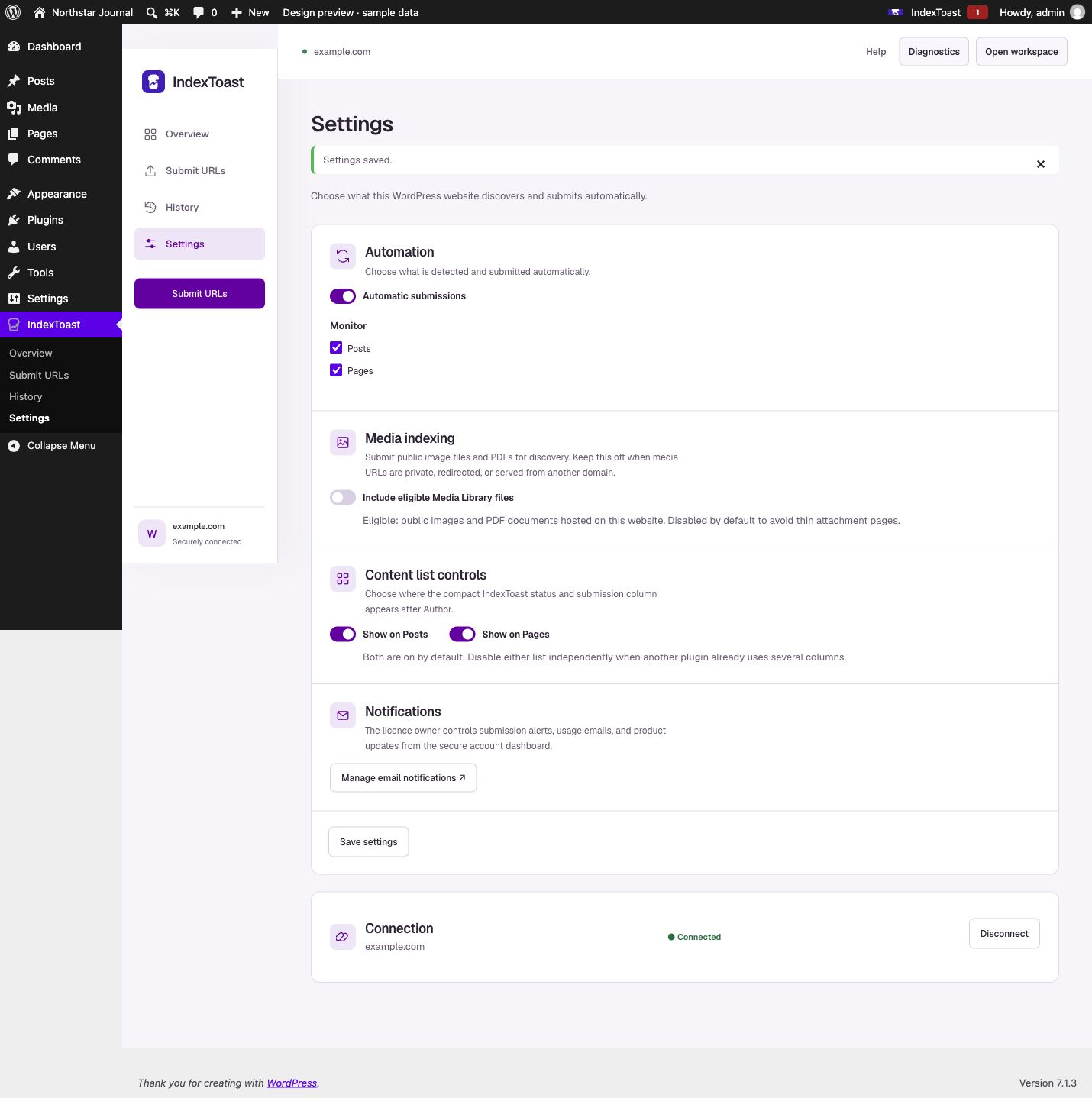
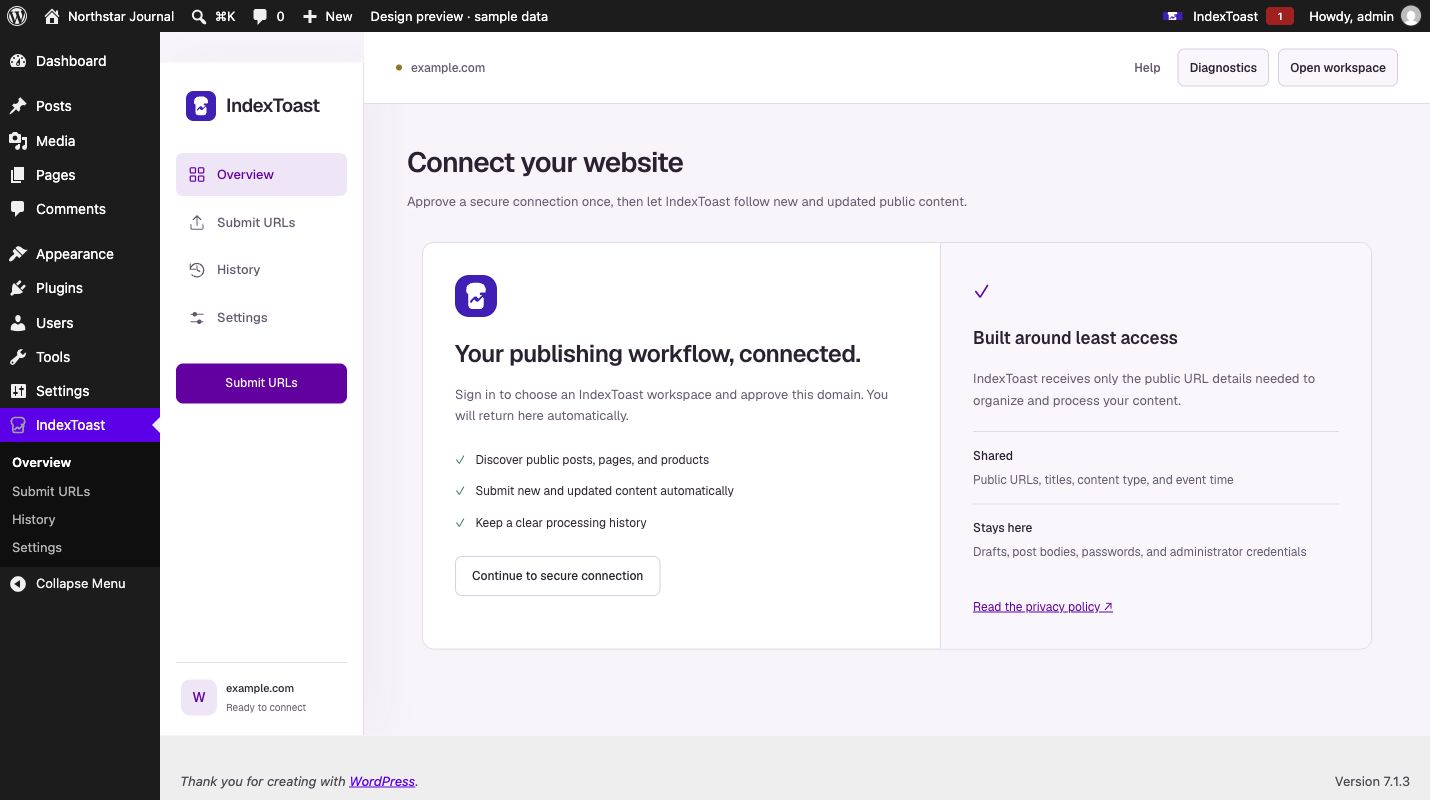
Real plugin screens with sample data. Interface shown in English.
Before you connect
You need an administrator account on the WordPress website and permission to manage that domain. The connector sends only the URLs and limited metadata needed for the service. It does not send post bodies, passwords, drafts, private content, or WordPress credentials.
Need help installing?
Visit IndexToast Support for connection and indexing answers, or email hello@indextoast.com. Include your website domain and a screenshot of any error—but never send passwords or API keys.