

Put the next step in one place.
A bulk URL submission tool turns a list of live pages into a batch you can review, submit and track. With IndexToast, you choose the URLs, see the unit cost and follow each request in one workspace.
That is useful when a launch, content migration or PR campaign produces more links than you can sensibly manage one at a time. The objective is simple: fewer missed URLs and a clearer next action for every page.
Your next batch, in five steps#
- Collect the final public URLs.
- Remove duplicates and resolve technical blockers.
- Choose Standard, Priority in Regular, or Boost in Business.
- Review the batch and its unit total before submitting.
- Track requests, then run Index Checker when you need visibility evidence.
Explore the submission workspace or jump to the worked unit budget.
When bulk submission earns its place#
Start with the job, rather than the largest headline quota. A publisher needs a repeatable release routine. An agency needs to keep client batches separate. A digital PR team needs a record of which placements were submitted and which still need investigation.
IndexToast brings those operations into the same workflow. Paste URLs or import a CSV, label the batch and use the correct workspace. Business adds client projects, team access, API operations and webhooks for teams that need repeatable handoffs.
| Source | Practical route | Review before submitting |
|---|---|---|
| Campaign spreadsheet | Paste URLs or import CSV | Preferred URLs, duplicates and campaign name |
| Connected website | Review sitemap-discovered inventory | Discovery does not itself submit every URL |
| Browser research | Use the Chrome extension | Review selected pages and the chosen account |
| Repeated software workflow | Business API | Project, operation, unit total and request handling |
See the Chrome extension and Business API documentation for the connection options.
Prepare URLs before spending units#
Use the final HTTPS URL that you actually want people to find. Remove fragments and unnecessary tracking variants from your working list. Do not blindly strip parameters that change the page; product variants and filters need a deliberate canonical decision.
- Open the URL signed out.Confirm it serves the intended public content rather than a login, challenge or error page.
- Inspect robots directives.An accidental noindex instruction needs fixing before another submission.
- Check the canonical.Submit the preferred representative, not an alternative that points elsewhere.
- Check discovery.Useful internal links and an accurate sitemap should support the same URL.
Use our technical preflight checklist for the full sequence. Google explains how noindex directives exclude pages; submitting again does not remove that instruction.
Choose the lane by business value#
Standard uses one unit per submitted URL. It is the sensible starting point for routine batches. Priority in Regular and Boost in Business each use 20 units per URL from that workspace’s shared balance.
Use the faster workflow selectively when urgency matters to the page’s purpose. You remain free to choose how to spend your balance; the review screen should make the trade-off visible before you act.
A separate Index Checker request uses one unit per URL. A completed submission is a request outcome, so keep it separate from the latest search visibility observation.
A 1,000-URL batch: calculate the whole job#
| Operation | URLs | Units per URL | Total |
|---|---|---|---|
| Standard | 900 | 1 | 900 |
| Priority or Boost | 100 | 20 | 2,000 |
| Separate Index Checker | 1,000 | 1 | 1,000 |
| Combined requirement | 1,000 unique URLs | Mixed workflow | 3,900 units |
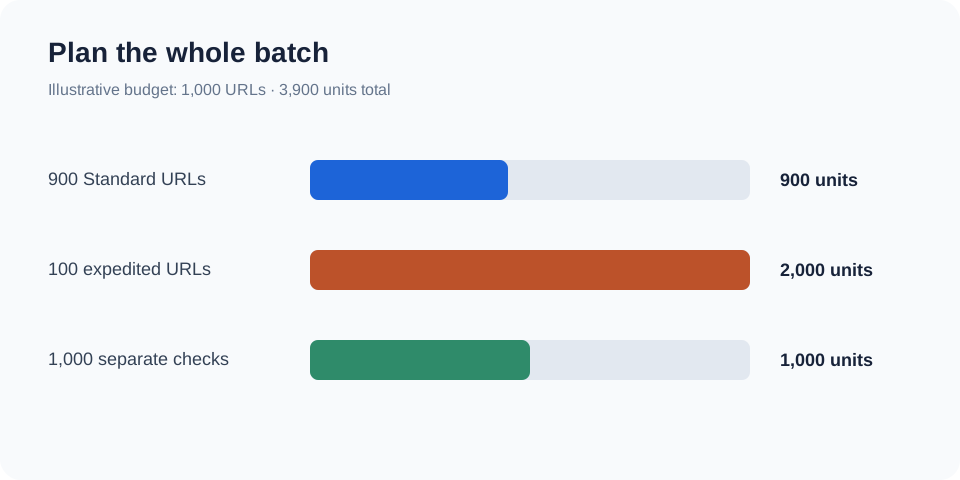
The 100 expedited URLs account for more units than all 900 Standard URLs. That is why planning only around the number of pages can understate your requirement.
At the current Regular monthly Growth price, a fresh 4,000-unit purchase is $44.99. This example would use 3,900 of those units, leaving 100 before any further checks or submissions. Compare the current pricing and expiry rules before choosing a purchase. A requirement fitting a balance does not guarantee an indexing result.
Track the next action, not just the total#
Name batches so a colleague can recognise them later: client, campaign and release date are more useful than “New batch 7”. Keep the submitted list and the operation type together.
Review request failures first. Then use bulk Index Checker on the URLs whose visibility will change your next decision. An inconclusive check belongs in an unresolved group, rather than being reported as a confirmed indexing failure.
For a large campaign, group recurring issues by hostname or template. One canonical fix may be more useful than another round of submissions across every affected URL.
Where Google’s own tools fit#
For a handful of URLs on a website you manage, Search Console’s inspection workflow may be enough. For larger sets, Google recommends sitemaps in its recrawl guidance. IndexToast adds batch organisation, service processing and reporting around your work; it does not replace those site-level foundations.
Avoid treating any third-party submission tool as unlimited access to Google’s Indexing API. Google restricts that API to supported job-posting and livestream pages, as its official quickstart explains.
A better batch is one you can act on#
Choose IndexToast when you want collection, unit review, submission and follow-up in one workflow. Start with a representative batch, resolve confirmed blockers and expand once the reporting makes the next action clear.
Start a Regular batch · Explore Business for client portfolios
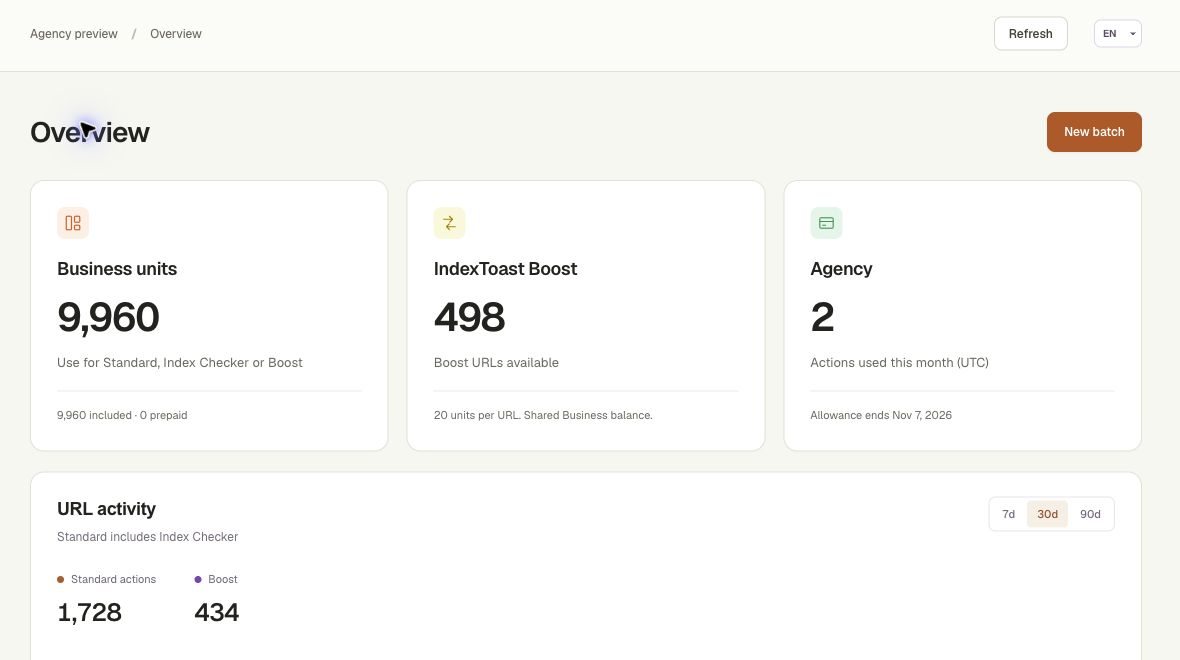
Inside the IndexToast workspace
Review units, projects and activity together.
Questions, answered
What is a bulk URL submission tool?
It organises multiple public URLs into a submission workflow with a reviewable batch, operation choice and request history. Submission is separate from Google indexing.
Can I submit URLs from more than one website?
IndexToast supports mixed-domain URL batches. Choose the relevant workspace and client project where appropriate, and review each public URL before submitting.
How many units does bulk submission use?
Standard uses one unit per URL. Priority in Regular and Boost in Business use 20 units per URL. A separate Index Checker request uses one unit per URL.
Does bulk submission guarantee that Google will index every URL?
No. Google controls crawling, indexing and ranking. Resolve technical issues and measure search visibility separately.
Sources and scope
Official documentation checked 9 October 2026. IndexToast publishes this guide and provides the service described. Worked examples explain operations; they are not customer results. Confirm current plans and checkout before purchasing.