

Put the next step in one place.
A bulk Google index checker helps you review visibility across a list of URLs without losing the individual result. IndexToast keeps Index Checker observations alongside your URL workflow so you can decide what needs attention next.
The useful output is a dated result and a next action. A large green percentage, without a denominator or an explanation of unknown results, tells you much less.
Check a batch. Keep the evidence.#
- Build a list of unique preferred public URLs.
- Select Index Checker and review the one-unit-per-URL cost.
- Keep the result and check time for every URL.
- Separate detected, not detected and unresolved results.
- Investigate patterns before spending units on another submission.
New to the workflow? Read submission versus indexing status first.
One URL, three different questions#
| Question | Evidence | Useful next step |
|---|---|---|
| Can the page be considered? | Technical preflight: response, robots and canonical | Resolve a confirmed blocker |
| Did the request complete? | Submission job and its timestamp | Review processing or a request error |
| Was visibility detected? | Index Checker observation and check time | Confirm context and investigate unresolved URLs |
Indexability describes technical eligibility. Submission describes an operation. A visibility check describes an observation. Reporting them separately prevents a completed job from being counted as an indexed page.
For owned websites, use Search Console when you need Google’s detailed inspection record. The URL Inspection API reports the indexed version; it does not test a live URL, and the inspected URL must belong to the specified property.
How to run a useful bulk check#
Choose a cohort
Group pages by a question you can answer: this week’s product launches, a migration’s preferred URLs, or one client’s PR placements. Avoid mixing unrelated ages and page types into a single headline rate.
Clean the list
Deduplicate exact URLs and review canonical variants. Keep parameters that materially change the page until you have decided which representative belongs in the cohort.
Review the cost
A separate Index Checker request uses one unit per URL in the selected workspace. A 1,000-URL check requires 1,000 units; checking those URLs again creates another 1,000 requests.
Record the observation
Keep the URL, cohort, checking time and result. Include the submission lane and timestamp if a submission happened earlier. If a check is unresolved, keep it unresolved rather than assigning a negative result.
Turn groups into actions
Investigate common patterns: one host, one template, one canonical target or a shared access problem. Recheck after a meaningful change, rather than creating an automatic spend loop.
What detected and not detected can tell you#
A positive observation is useful evidence at a point in time. A missing observation deserves context. Google’s site: operator documentation explains that search results are not an exhaustive list of indexed URLs. A search-based absence should not become a definitive claim that Google has never indexed the page.
For a URL you control, inspect the preferred URL in Search Console. For a third-party placement, document the evidence available to you and ask the publisher to inspect persistent problems when appropriate.
A page can also appear under a different canonical. Read the canonical troubleshooting guide before treating every alternative URL as a missing page.
A reporting example: keep all 1,000 URLs visible#
| Observation | URLs | Share of all URLs |
|---|---|---|
| Visibility detected | 720 | 72% |
| Not detected at the check time | 230 | 23% |
| Unresolved check | 50 | 5% |
| Total | 1,000 | 100% |
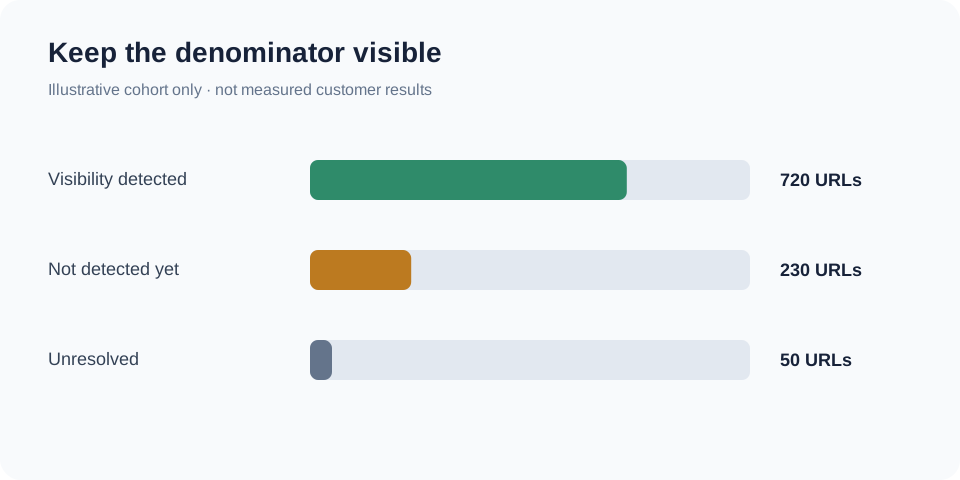
Report 720 detected out of all 1,000 assigned URLs, with 50 unresolved. If you also calculate 720 ÷ 950 completed observations = 75.8%, label that denominator explicitly. It answers a different question.
Neither figure is an indexing success rate caused by the service. A credible outcome study would also need a baseline, comparable pages, a defined clock and a way to account for pages already indexed before submission.
Measure time without claiming precision you do not have#
Suppose a page is not detected at 10:00 and is first detected at 14:00. Your observations place the change within that interval; they do not prove Google indexed it at exactly 14:00.
Choose a checking cadence that fits the business decision and your budget. Record the observation interval alongside any time-to-detection statistic. Keep unresolved pages in the cohort when the reporting window ends.
This is especially important when comparing Standard with Priority or Boost. Page quality, domain, age and check frequency can all influence the observed difference. Faster first detection alone does not establish causation.
When checking should lead to submission#
If the page has a confirmed technical blocker, fix that first. If a submission is still pending, review that request before creating another one. If a useful page is technically ready and still needs a submission workflow, choose the lane deliberately.
Standard uses one unit per URL. Priority in Regular and Boost in Business each use 20 shared units per URL. See the bulk submission budget to plan checks and submissions together.
Make every check answer a question#
IndexToast fits teams that want bulk checks connected to the rest of their work: the URL, the submission, the timestamp and the follow-up. Start with a defined cohort, keep unknowns visible and spend the next unit only when the result can change your decision.
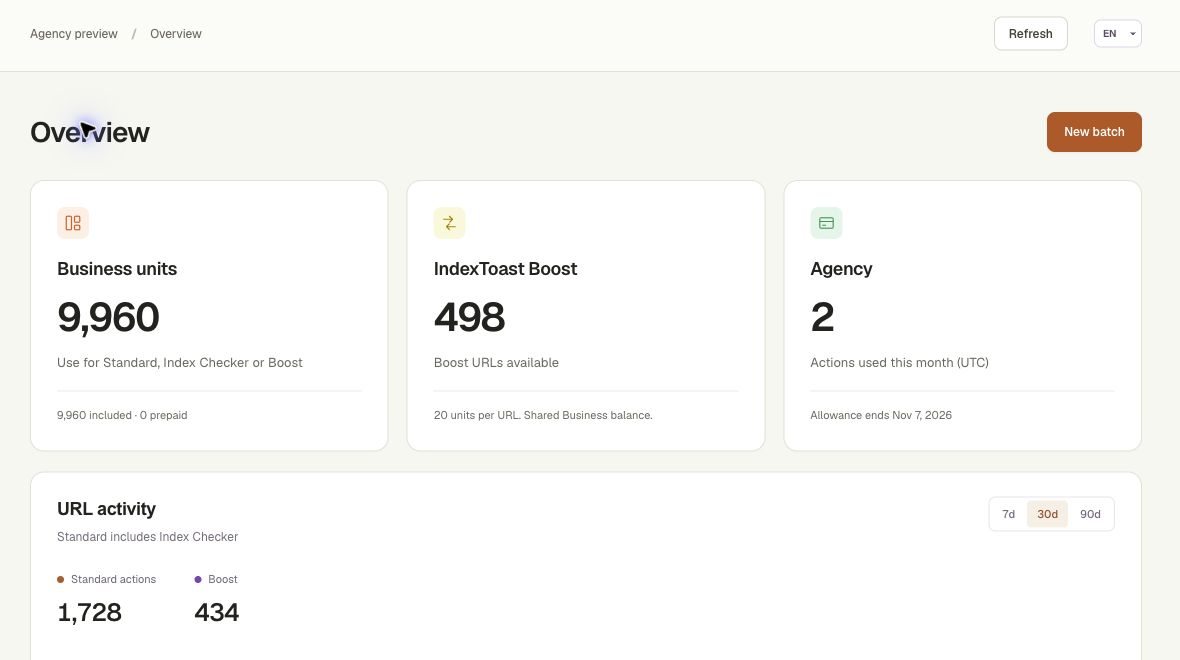
Inside the IndexToast workspace
Review units, projects and activity together.
Questions, answered
What does a bulk Google index checker do?
It checks a list of URLs and records visibility observations. Keep the result, checking method and timestamp separate from technical readiness and submission processing.
Does not detected mean definitely not indexed?
Not necessarily. Interpret the result according to the checking method. Search-based absence is not definitive proof; use Search Console for deeper diagnostics on a website you manage.
Does checking submit the URL too?
Index Checker is a separate operation. Checking visibility does not itself submit a URL for indexing.
Can I calculate exact time to indexing from periodic checks?
Periodic observations normally establish an interval between the last negative observation and the first positive one, rather than the exact indexing moment.
Sources and scope
Official documentation checked 9 October 2026. IndexToast publishes this guide and provides the service described. Worked examples explain operations; they are not customer results. Confirm current plans and checkout before purchasing.